Eighteen months of braces, tracked tooth by tooth.
Long treatments are where paper breaks down. Operana keeps every bracket note, X-ray, and adjustment on the tooth it belongs to — across every visit of the plan, for orthodontists and general dentists alike.
- "Which tooth was that again?" — the interactive teeth chart pins every note to the exact tooth.
- 14-visit plans that drift — treatment plans count every adjustment, and patients follow progress in their own portal.
- A front desk buried in calls — patients book from the public link; staff confirm from the review queue in seconds.
Teeth chart · Layla Haddad
VISIT 9 OF 14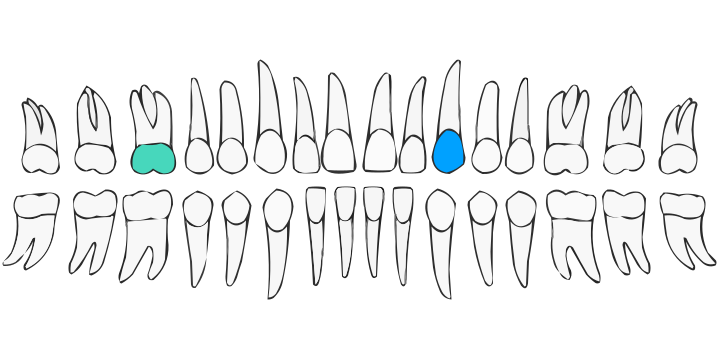
Tooth 14 — bracket re-bonded. Elastics adjusted; review at next visit. Photo attached.
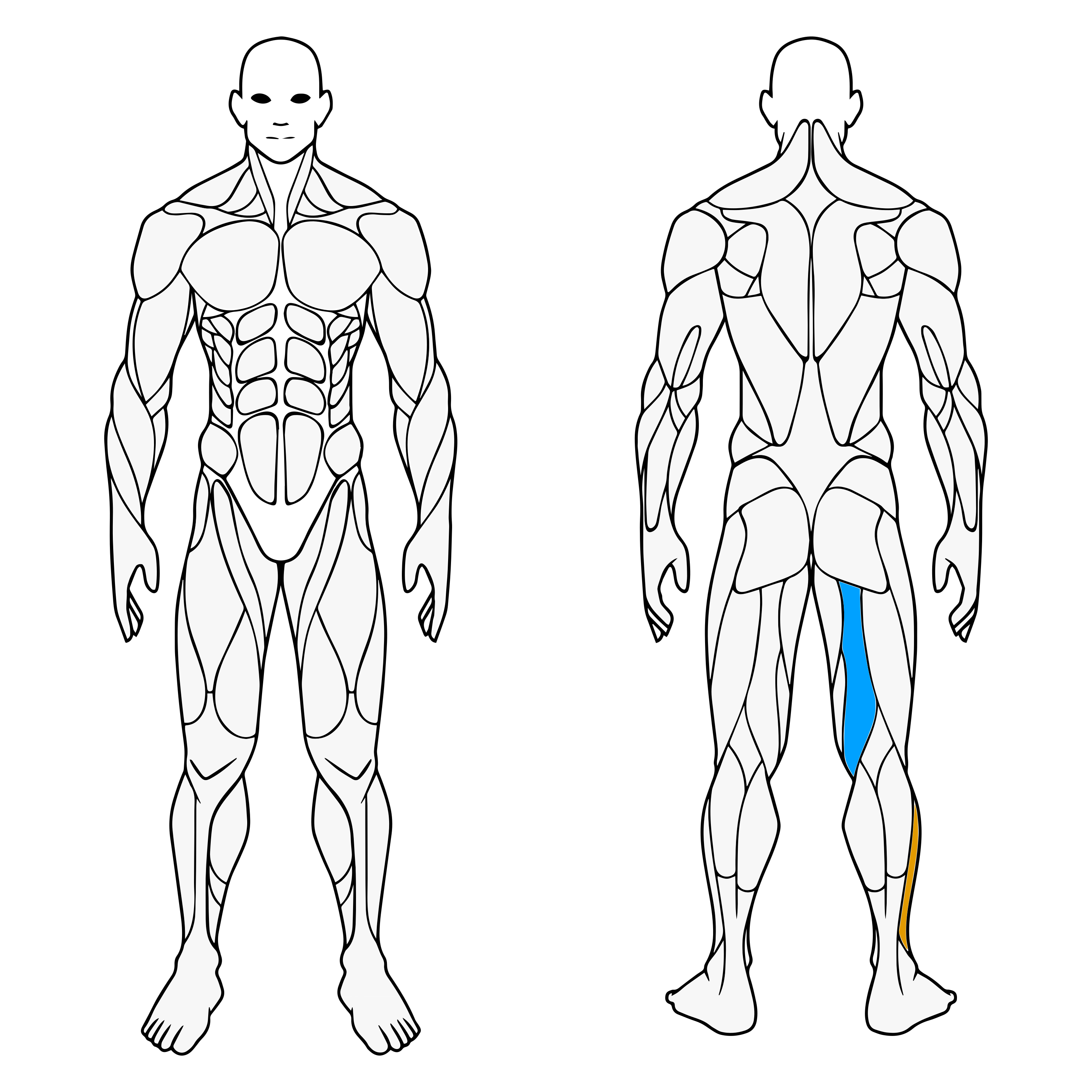
PECTORAL — RIGHT · SELECTED
Grade 1 muscle strain. MRI reviewed 2 Jul — physio referral attached.
RECOVERY PLAN · ACL — RIGHT KNEE
Next: strength assessment
Thu 16 · 11:00From first X-ray to final assessment, one record.
Injuries recover over months, across imaging, consultations, and rehab. Operana keeps the whole arc on a joint-level map instead of a folder of PDFs.
- Imaging findings lost in files — notes pin to the joint or muscle area on the body map.
- Recovery timelines in someone's head — multi-visit plans make week 6 of 12 visible to the whole team.
- Surgeons' calendars in chaos — per-doctor hours and room resources keep consults, imaging, and procedures apart.
Show the progress your patients pay for.
Aesthetic treatments live and die by visible results. Operana pairs a zone-precise face map with before/after photo galleries, session by session.
- "Was it the left cheek or right?" — the face map records exactly which zone was treated, with what, and when.
- Results patients can't see — before/after comparisons sit on the record, ready to show at the next consult.
- 6-session courses half-tracked — treatment courses count down automatically, and consent forms are signed digitally before session one.
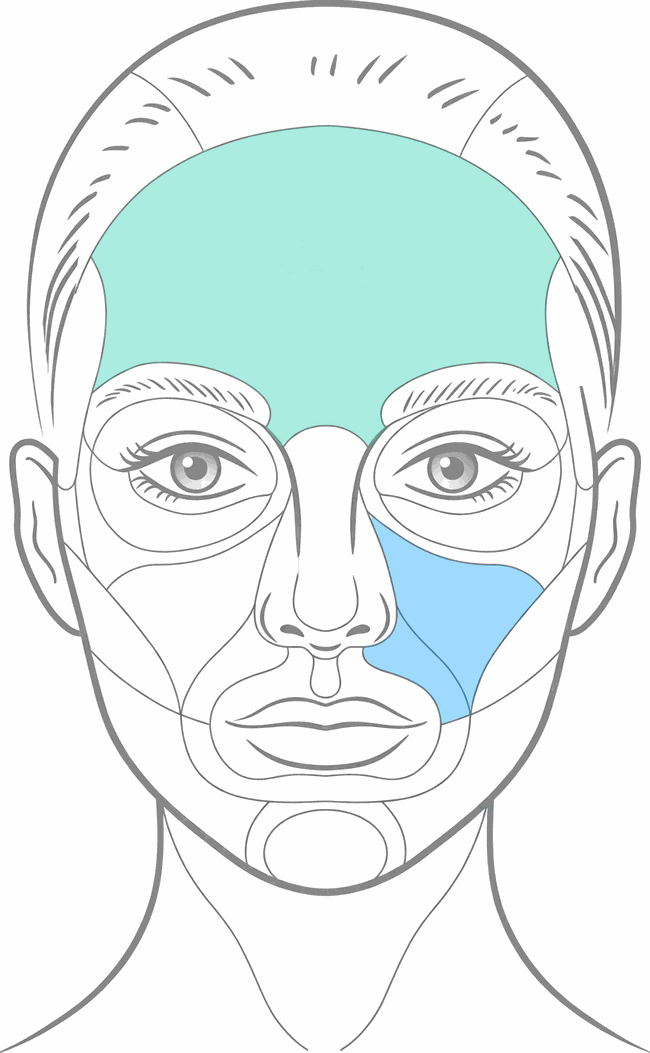
FOREHEAD · CHEEKS · SELECTED
Fractional laser, setting 4. Mild erythema — settled in 48h.
COURSE · LASER RESURFACING
Session 4 of 6
BEFORE
AFTER
HAMSTRING — LEFT · SELECTED
Grade 2 strain. Eccentric loading from session 5 — tolerated well. Calf flagged critical — monitor load.
THIS WEEK
COURSE · 10 SESSIONS
Ten-session courses that actually finish.
Physio runs on repetition — same patient, same muscle groups, week after week. Operana keeps the course on rails and the next session booked before the patient leaves.
- Patients drop off mid-course — session courses show exactly who's on session 6 of 10, and self-booking makes the next one effortless.
- Working hours that actually hold — each therapist's availability blocks off booking automatically, online and at the desk.
- Progress lives in memory — the muscle map records what was treated and how it responded, visit by visit.
Twelve weeks of meals, built in minutes.
Nutrition practices run on plans, not procedures. Operana's diet-plan builder turns your best programs into reusable templates — with a food catalog behind every meal and a progress chart behind every patient.
- Rebuilding the same plan in Word — templates hold your programs; assign and tailor per patient in minutes.
- "Am I actually losing weight?" — body metrics are recorded each visit and charted over time, in the clinic and in the patient's portal.
- Plans that leave the room and die — print a clean report or share it to the portal, so the plan survives the week.
Diet plan · Nadia F.
Weight-loss template · Week 4 of 12
Weight
78.4 → 75.2 kg
What kind of practice are you?
Step 2 of 3 · This sets up your charts and visit types
Name your specialty
Speech therapy
Your visit types, booking pages, and reports will use this label everywhere.
Not on the list? Still on the platform.
General practitioners get the full record-keeping, booking, and billing stack out of the box. And any other specialty — speech therapy, optometry, veterinary — picks "Other", names itself, and Operana carries that label through visits, booking pages, and reports.
- Every core module included — scheduling, self-booking, records, billing, inventory, and reports work for any practice type.
- Your name for your work — a free-text specialty label replaces generic wording across the whole app.
- Grow into the specialty tools — switch on charts, courses, or diet plans later if your practice needs them.